
SAMPLE ALERTS · DEMONSTRATION DATA — NOT A REAL CUSTOMER
What happened to the paths your customers use
Website: Example Dental · Last check: Tuesday 11:00 AM UTC
Summary: 2 confirmed problems (1 still open, 1 fixed) · 1 page PageNora could not check
Customer routes watched: Booking · Contact · Finding a service page
How to read this
✓ checked and matched · ✗ problem found · ? could not check · ○ not checked.
All times are in UTC, which is four or five hours ahead of New York depending on the season. A ✓ does not mean a button was clicked in a browser or a form was submitted, and a page PageNora could not check is never counted as healthy.
The email that arrives
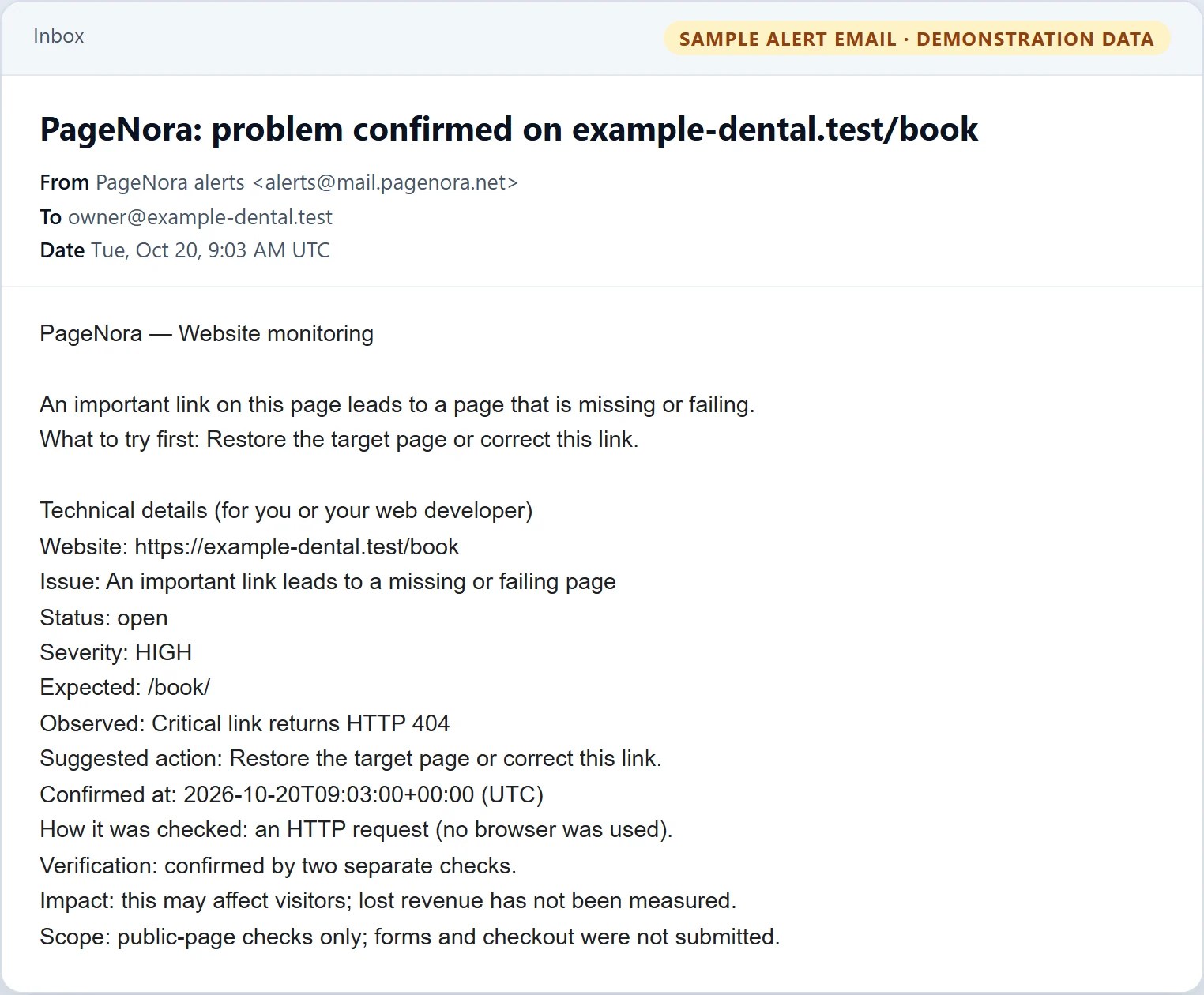
This is the exact alert PageNora sends for the first incident below, rendered from the same code that writes real alerts. It is plain text, so it reads the same in any email app.
HIGH STILL BROKEN
An important link leads to a missing or failing page
Customer action: Book an appointment · Affected step: Booking page
Homepage ✓ → Booking link ✓ → Booking page ✗
Why it matters
Visitors who select “Book an appointment” reach an error page instead of the booking page.
Expected
/book/
Observed
Critical link returns HTTP 404
What to try first
Restore the target page or correct this link.
Timeline (UTC)
Detected Tuesday 9:00 AM → Confirmed Tuesday 9:03 AM (seen twice) → Current status: still broken
Technical details
Website: example-dental.test/book
Issue: An important link leads to a missing or failing page
Severity: HIGH
Expected: /book/
Observed: Critical link returns HTTP 404
Suggested action: Restore the target page or correct this link.
How it was checked: an HTTP request (no browser was used)
Verification: confirmed by two separate checks
Detected: Tue 9:00 AM UTC · Confirmed: Tue 9:03 AM UTC
UNABLE TO VERIFY
PageNora could not verify the contact page
Customer action: Contact your business · Affected step: Contact page
Homepage ✓ HTTP verified → Contact page ? unable to verify
What this means
The website refused PageNora’s check, so PageNora cannot currently say whether this page is working. This does not mean the page is broken. “Unable to verify” is a gap in what PageNora can see, not a confirmed problem, and PageNora never counts a page it could not check as healthy.
Expected
Contact page can be read and checked
Observed
The check was refused
Recommended action
Check whether a firewall or security service is blocking PageNora, then allow it to read this page.
Technical details
Website: example-dental.test/contact
Evidence level: UNKNOWN
Verification state: Blocked since Tuesday 9:00 AM UTC
Incident severity: none (this is a monitoring gap, not an incident)
RECOVERED ✓ WAS HIGH
Important service page was marked noindex
Customer action: Find your services in search · Affected step: Whitening service page
Homepage ✓ → Whitening page ✓ (recovered)
Why it mattered
The page carried a noindex instruction, and search engines may remove such a page from results over time. You had marked it important and approved it for search, so it was rated High.
Expected
Page is allowed to appear in search
Observed then
noindex instruction present
Action taken
The noindex instruction was removed.
Timeline (UTC)
Detected Tuesday 9:00 AM → Confirmed Tuesday 9:03 AM → Recovered Tuesday 10:07 AM, recovery confirmed by two checks
Technical details
Website: example-dental.test/services/whitening
Check type: noindex instruction on the page
How it was checked: the page HTML
Incident state: Recovered · Verification: confirmed by two separate checks
Demonstration data only. The email shown at the top is the exact text PageNora sends. The cards above it are an illustration of the same findings, written out in full for this page; in the dashboard at app.pagenora.net each page shows its status, last check and next check, with the details one tap away, so the layout differs. See Reading an alert. PageNora reports what it observed; it does not estimate lost bookings or revenue, and it cannot predict how a search engine will behave.
Get alerts like these for your own website.
Free plan · No credit card · No end date · Set up in about five minutes

